
一、Correct Steps for Unlocking
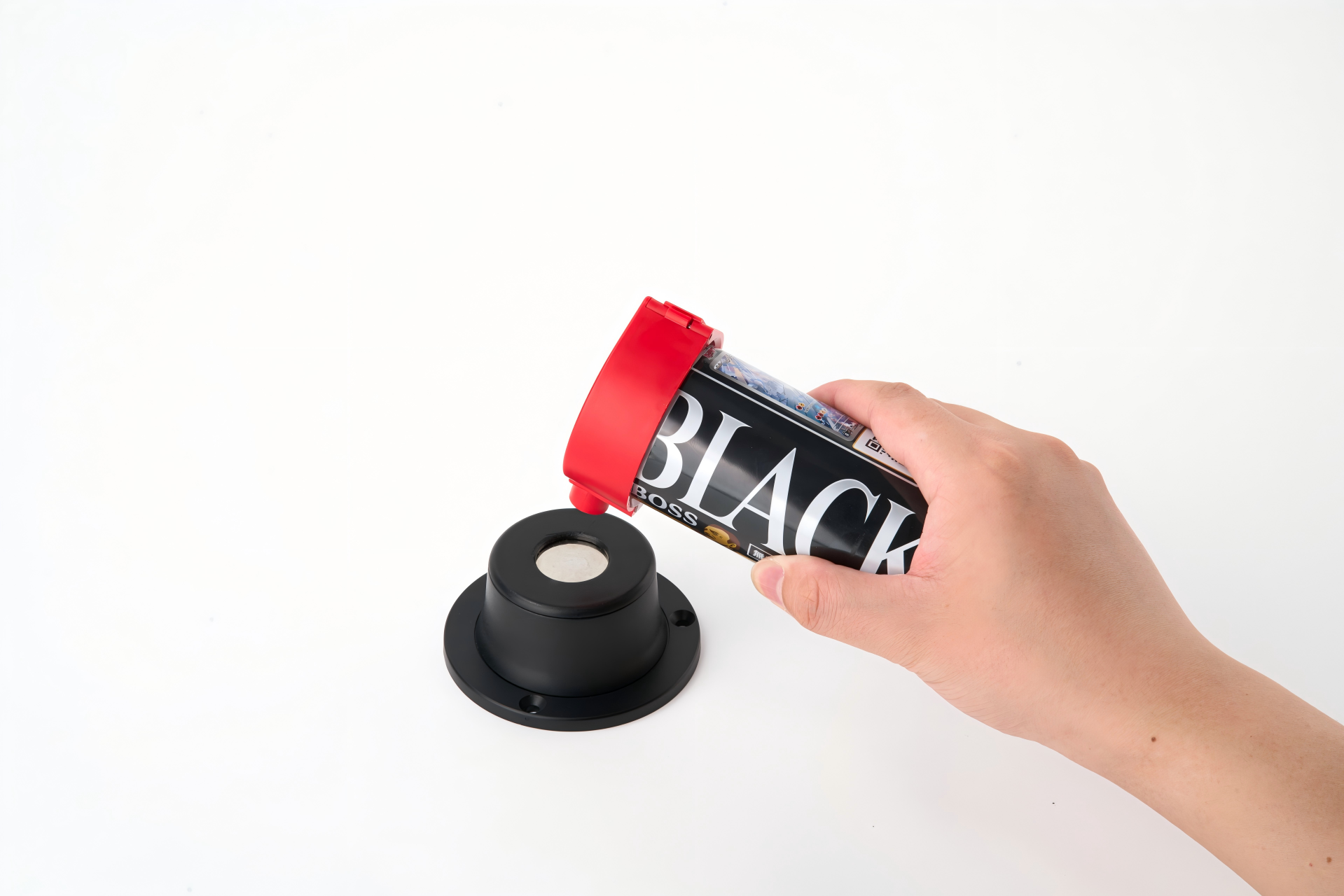
- Place the hard tag dome-side down on the unlocker’s magnet, and press firmly.
- Press the tab gently until it clicks, releasing the internal lock cylinder.
- Pull the pin with your other hand to separate the label from the item.
💡Note: Unlock the ink seal gently—prying too hard may rupture the sac and stain the merchandise.
二、Hard Labels Won’t Come Off—Common Causes and Solutions
Problem 1: No response at all when the tag is placed on the lock; the lock cylinder does not unlock
- Reason ① Impacts and high temperatures weaken the unlocker’s magnet over time.
- Reason ② Align the label’s raised center with the unlocker’s magnet center.
- Reason ③ A bent pin and deformed lock ball jam the cylinder.
✅Solution: Realign, test with a spare unlocker, and don’t pry stuck labels—scissors can trigger the ink latch.
Problem 2: The lock releases, but the nail sticks and won’t pull out.
- Reason ① A bent nail, burrs on the nail head, or the internal plastic latch catching on the nail cause the issue.
✅Solution: Gently rotate the nail from side to side and slowly pull it out; do not yank or pull it out forcefully.
Problem 3: The pin pops out immediately after the lock is opened
- Reason ① Excessive pressure against the strong magnet causes this.
✅Solution: Shield the pin with your hand when unlocking to avoid loss or injury.
Problem 4: Occasionally, a few of the tags won’t open, but most work fine.
- Reason ① Tolerances, debris in the steel balls, or tag-unlocker mismatch cause this.
✅Solution: Test stuck labels with a spare opener, and buy tags and unlockers from the same brand.
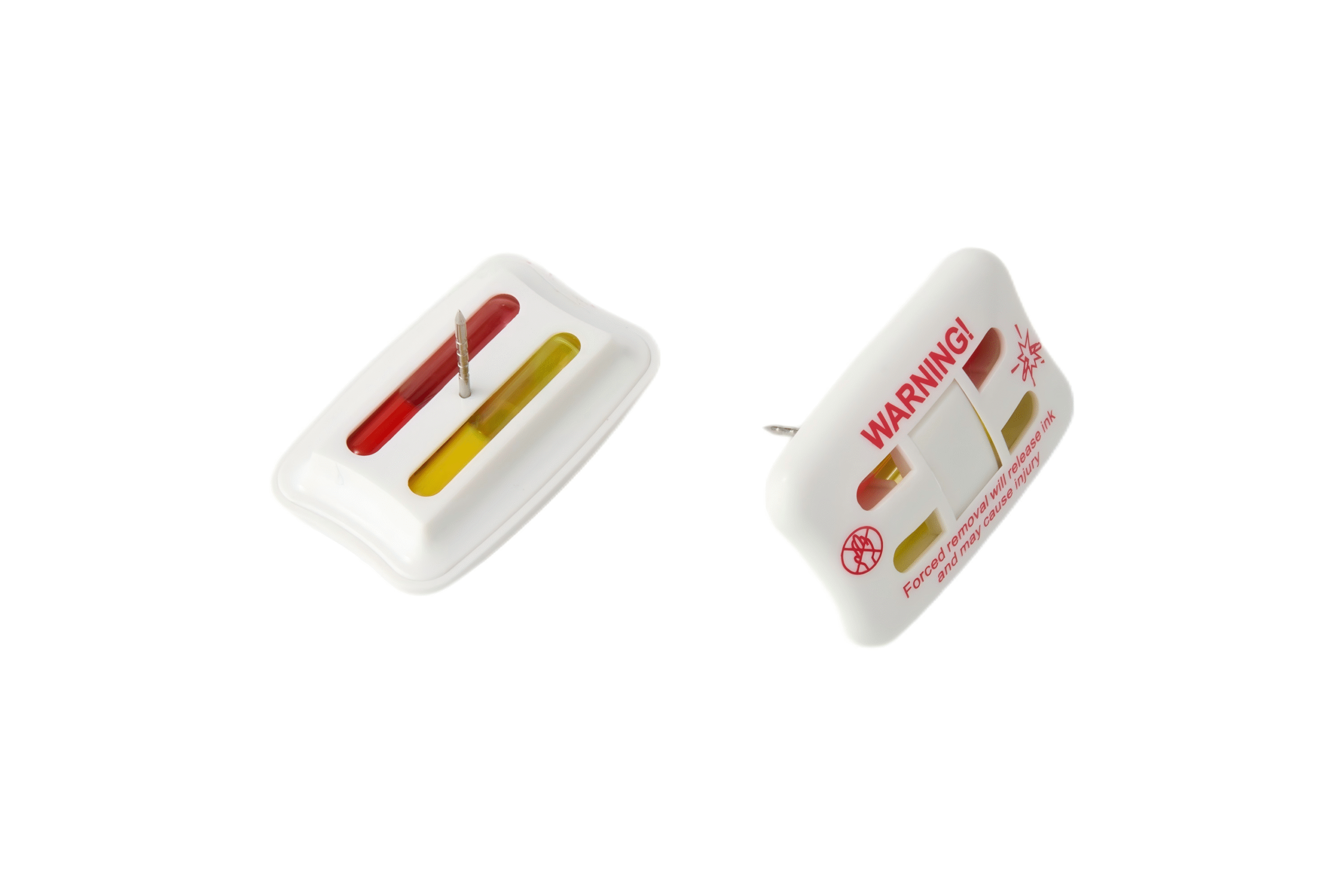
Problem 5: Failed to unlock the ink anti-theft latch
- ❌ Don’t use blades, screwdrivers, or pliers to pry—they’ll rupture the ink and damage the product.
四、When Are Labels Considered Scrap?
Stop and discard the tag if you see any of the following:
- Cracked or warped label casing
- The nail is severely bent
- There are signs of leakage on the ink cartridge casing
五、Conclusion
Most difficulties in unlocking hard tags stem from misalignment, magnetic field attenuation, or incompatible accessories. You can reduce malfunctions by properly maintaining your tag opener on a daily basis, using genuine manufacturer-recommended products, and following standard unlocking procedures.
If you encounter a stuck tag, never force it open—forcibly prying it open can easily damage the merchandise. Keep a spare tag opener on hand to promptly handle difficult tags, ensuring checkout efficiency and reducing the risk of store losses.